Spend less time planning.
More time executing.

Sleeves Up keeps the whole company aligned on its goals, even with several projects running at once, on a board so simple and intuitive that nobody needs training. Open it, and you already know how it works.

✓ Full product, one month, whole team. No credit card required

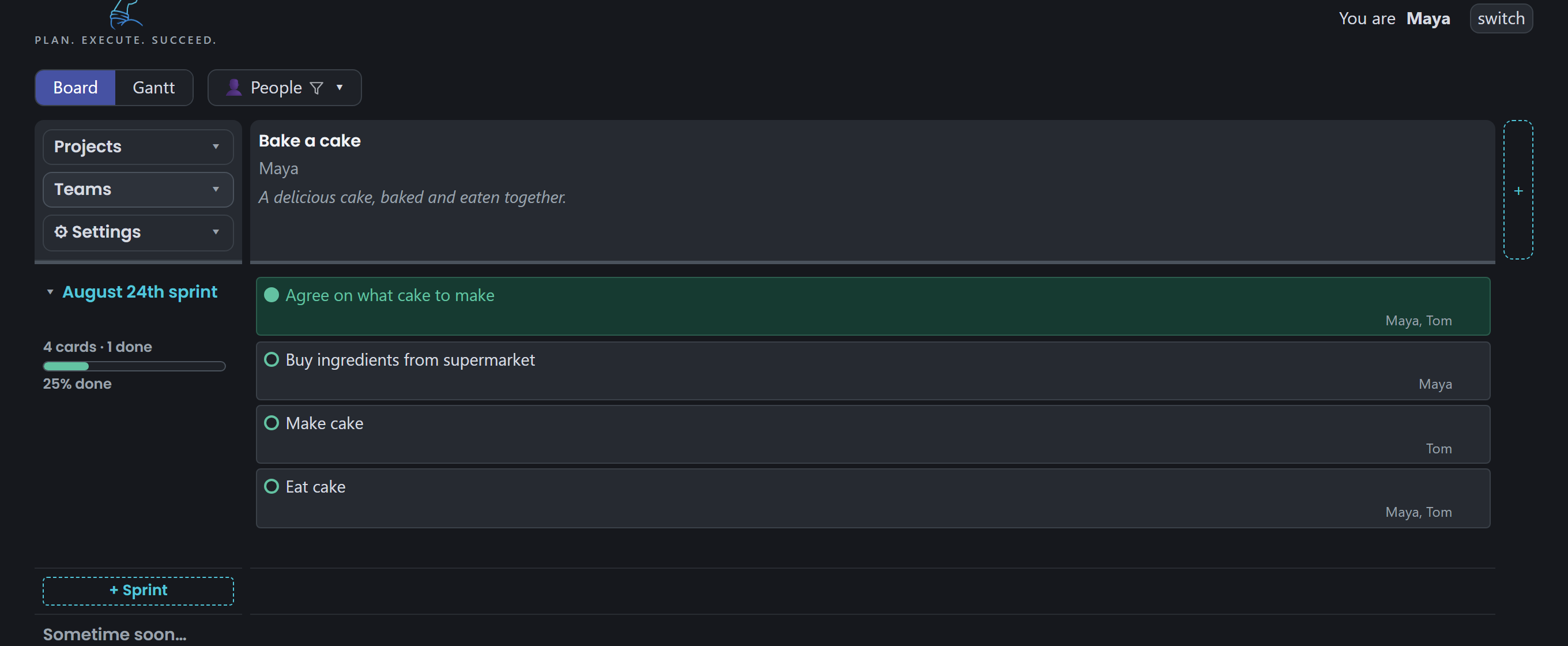
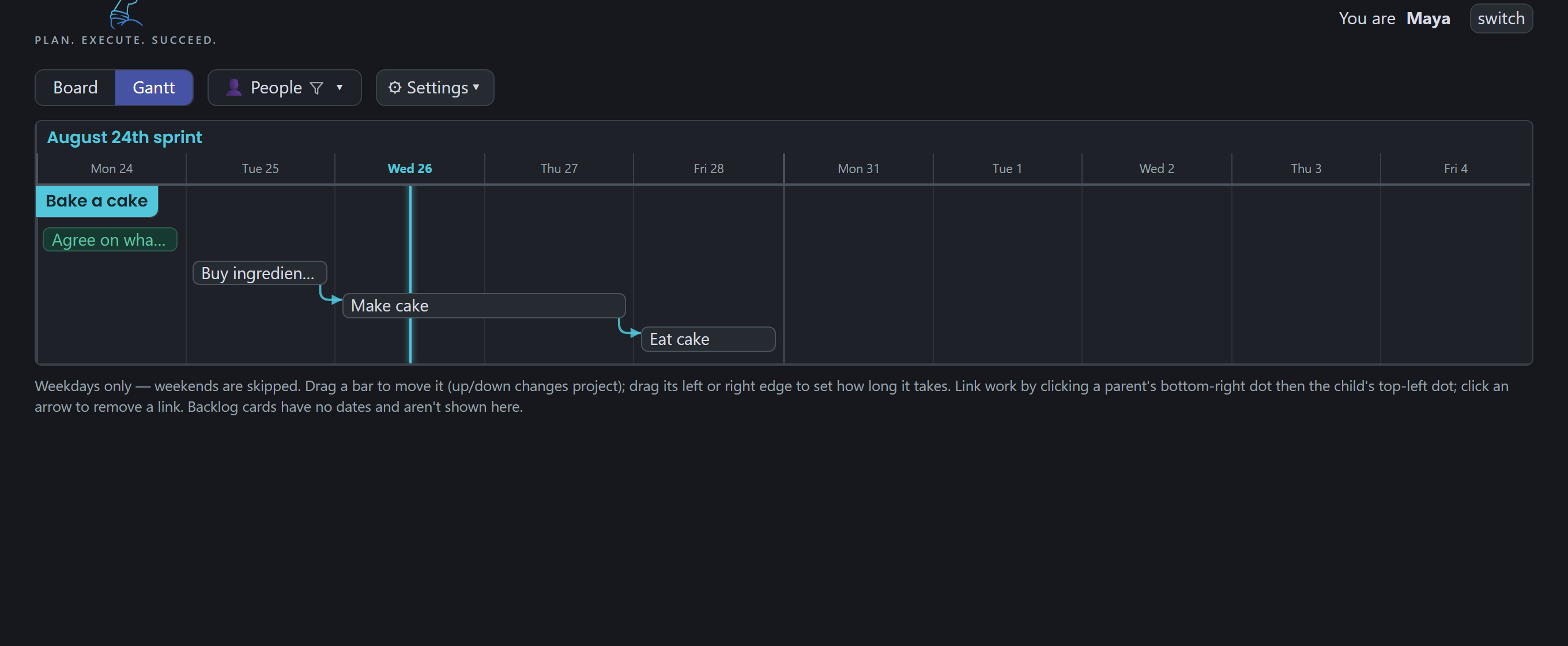
The Sleeves Up board: projects as columns, sprints as rows, cards for tasks The Sleeves Up Gantt: an epic with its tasks beneath, an orange delay band and the names of the people on it

That board is real. Maya and Tom are baking a cake.

Move their cards yourself →

Everything a sprint needs. Nothing it doesn't.

Projects across the top, sprints down the side, cards where they belong. If you've ever used a whiteboard, you've already had the training.

🎯

Everyone aligned, always

Every project, goal and sprint on one screen. The whole company sees the same plan, even with many projects running simultaneously.

👥

Live for the whole team

Everyone edits at once and every screen updates in moments. No refresh button, no "who has the file open".

🤝

The say-do ratio, measured

Freeze the plan you agreed. At the review every card is done, delayed, removed or added, and the delayed ones say why.

📅

Epics, milestones and delays

Group tasks into epics, mark the milestones, and when something slips, say how long and why. The bar shows the delay in orange.

🗓️

The timeline remembers why

Milestones and decisions on one line per project, with the reason written beside them. A year on, you still know what was decided and why.

👤

Who is on what

Names on every card, bar and epic. Pick a person and the review shows their cards and their numbers.

🕰️

Nothing is ever lost

Every change is recorded against a name and can be rolled back. You can even view the board as it stood last Tuesday.

📱

Works on the shop floor

Fully responsive on any device: Android, iOS, Linux, Mac or Windows. If it has a browser, it runs the whole board.

🎨

Your brand, your board

Branding to match your company theme: your logo and your colours on every screen, so your team feels at home from day one.
Plans that mean something

  • Weekday-only timelines that match how teams actually work
  • Dependencies with arrows you can see, and conflicts flagged before they bite
  • Budgets in plain pounds, rolled up per project
  • Sprint reviews that write themselves from the audit trail
  • And when a task gets ticked off? Confetti. Rockets. The occasional flying fish.
The Sleeves Up board: the New recipes column with the finished sprint folded above the current sprint's four cards

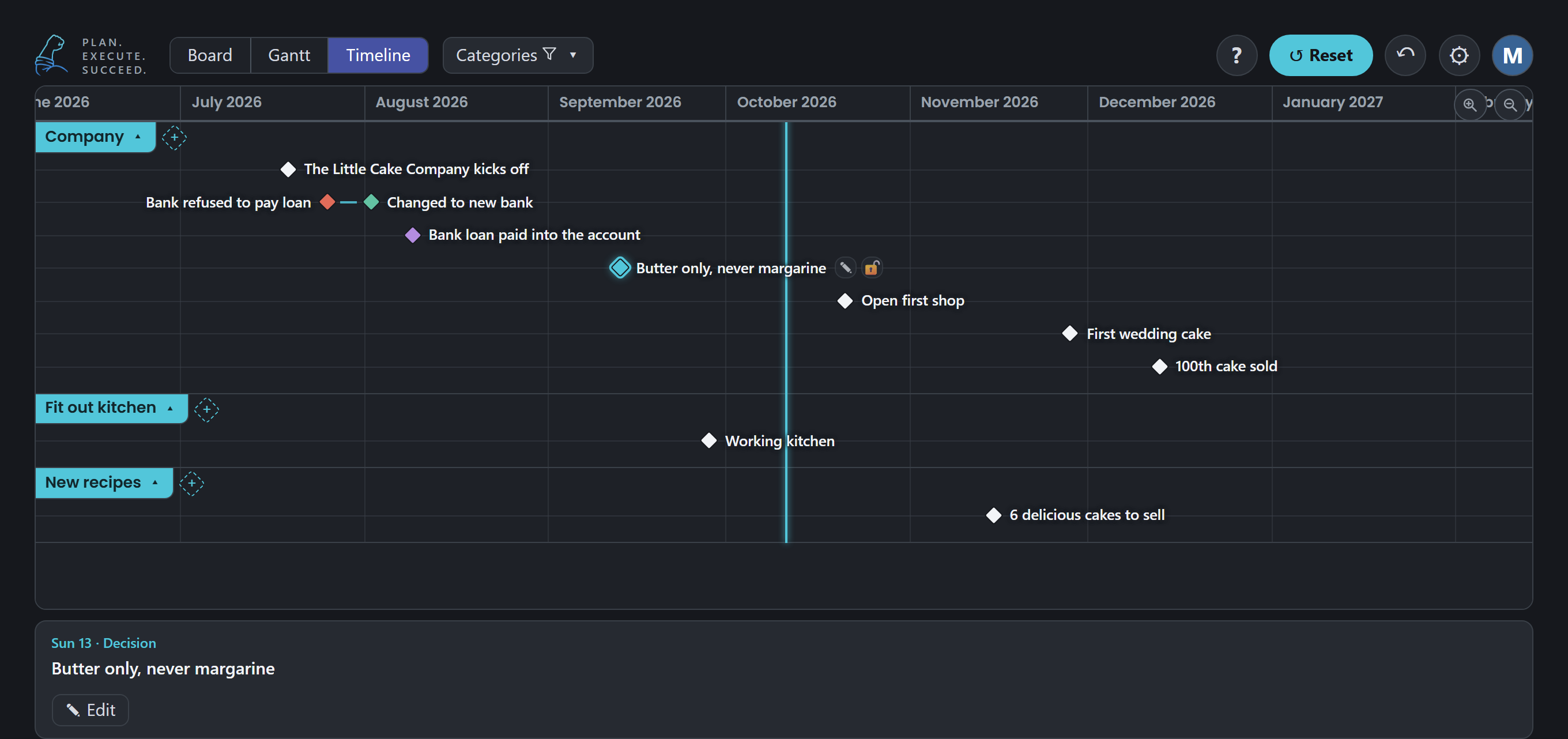
The timeline remembers why

  • Every milestone and every decision on one line per project, with the reason written beside it
  • Issues link to the fixes that solved them, so the story reads in one line
  • Drag a project's name to reorder the lanes; names that would overlap lift out of each other's way
  • A year later you can still see what was decided, when, and why
The Sleeves Up timeline: the Little Cake Company's milestones and decisions, with the butter-only decision opened to show its reason

Epics, and what delayed them

  • Group tasks into an epic: one bar with its own dates, a progress line that fills as the tasks are finished, and the tasks listed beneath
  • When an epic slips, say how long and why. The orange band on the bar shows the delay, and hovering says the reason
  • Milestones on the chart, dependencies with arrows, and a red warning when something waits on unfinished work
  • Names on every bar and epic, and three zoom ranges from three weeks to a whole year
The Sleeves Up Gantt: three kitchen epics in a chain, the equipment order with its orange delay band and the hover saying it was a week late because the oven arrived late from the supplier, with the two recipe epics beneath, the first finished and the second listing its four steps

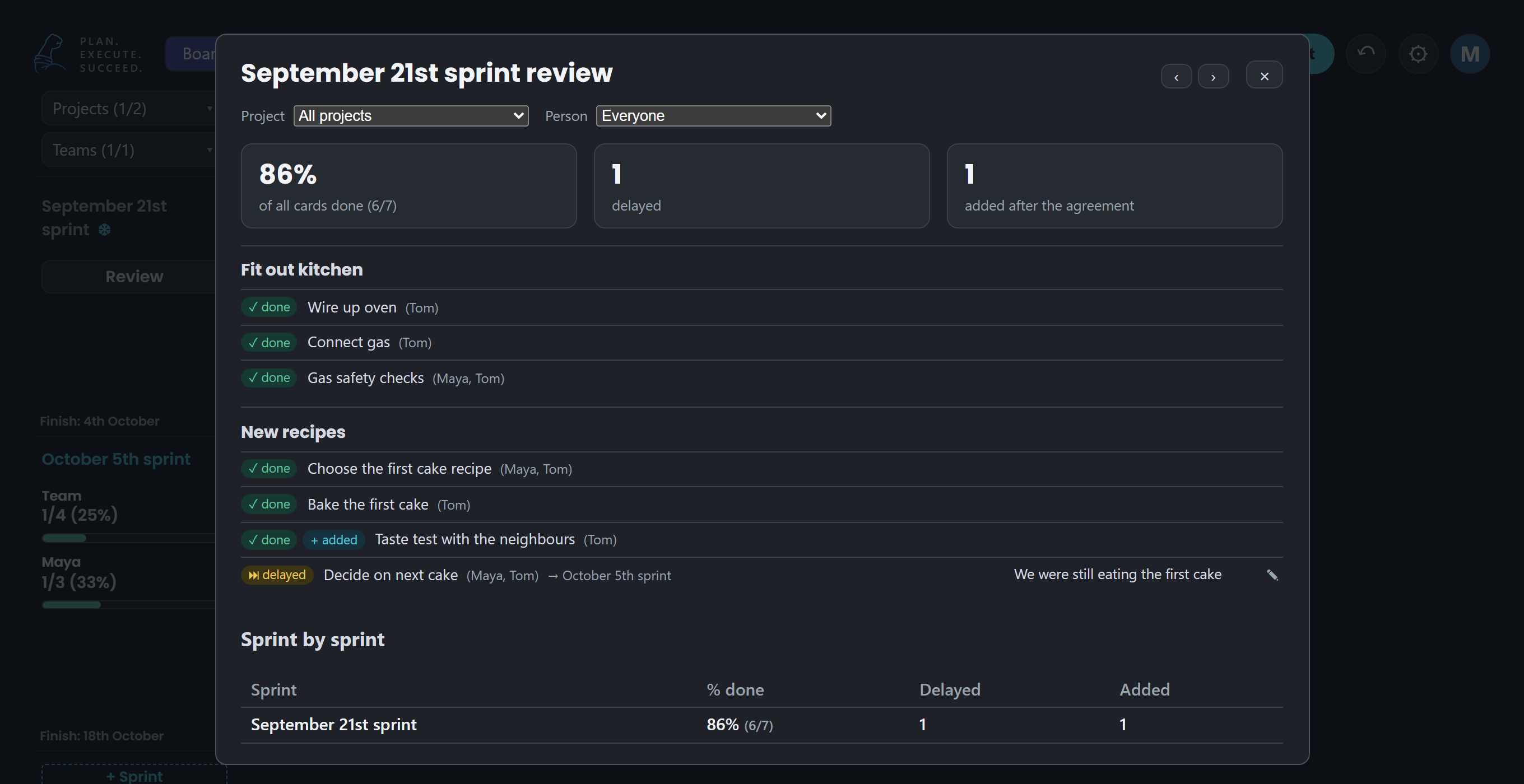
The review says why

  • Freeze the plan you agreed. At the review every card is done, delayed, removed or added, and the share done counts every card
  • A delayed or removed card gets a Why? button; the reason stays with the card for every review after
  • Pick a project or a person and the lists, the numbers and the sprint-by-sprint table follow
  • Step through the sprints with the arrows: the say-do ratio, sprint after sprint
The Sleeves Up sprint review: cards marked done, one added during the sprint and finished, one delayed to the next sprint with its reason, and the sprint-by-sprint table

Your first task is ready.

Archive traditional SaaS companies Salesforce, Monday.com, Jira, Trello
SLEEVES UP
£15/month. Everyone's in.

A real card, exactly as it looks on the board. Click the green circle to mark it complete.

One flat price. Not per seat.

Every other tool charges per user, so growing your team grows your bill. We think that's backwards.

The per-seat tools

£8–10 / user / month

100 people ≈ £800+ every month

  • Price rises with every hire
  • Seat counting and licence admin
  • "Contact sales" for the useful tier
THE SLEEVES UP WAY
Sleeves Up

£15 / month

Flat. For your whole company, up to 100 users.

  • Everyone's in. No license or onboarding headaches.
  • Every feature included, one tier
  • Your own private board and daily backups
  • Cancel any time
Start your free month

That's 15p per person per month with a full team, roughly 50× cheaper than per-seat pricing.

What teams say

★★★★★

"We swapped our planning spreadsheet for Sleeves Up and never looked back. The whole team just got it, day one."

Engineering leadhardware SME
★★★★★

"The sprint review writes itself. What we said we'd do, what we actually did, it's all just there."

Operations managermanufacturing
★★★★★

"First planning tool the workshop actually uses. It works one-handed on a phone next to the machine."

Workshop supervisorengineering services

Roll your sleeves up.
The first month's on us.

Your company's own private board, set up within a day.
One month, full product, whole team. No credit card needed.
Keep it for £15 a month, or walk away and owe nothing.

Get your free month: hello@sleevesup.co.uk